

Getting started
The MADSPACE Client Portal is where your project with MADSPACE lives: the contract terms, the materials we need from you, every production update, the handover and the care that follows. Everything is in one place, dated, and visible to both sides.
Set up your access
Open your invitation
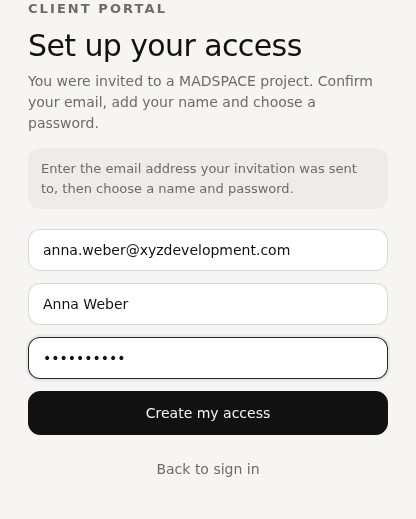
Use the button in your invitation email, or go to my.madspace.co.uk and choose “I have an invitation: set up my access”.
Create your access
Enter the email address the invitation was sent to, your full name and a password of at least 8 characters, then select “Create my access”.
Confirm it is you
If asked, type the 6-digit code we email to you. Tick “Remember this device for 30 days” to skip the code on this computer next time.
Find your way around
Your projects
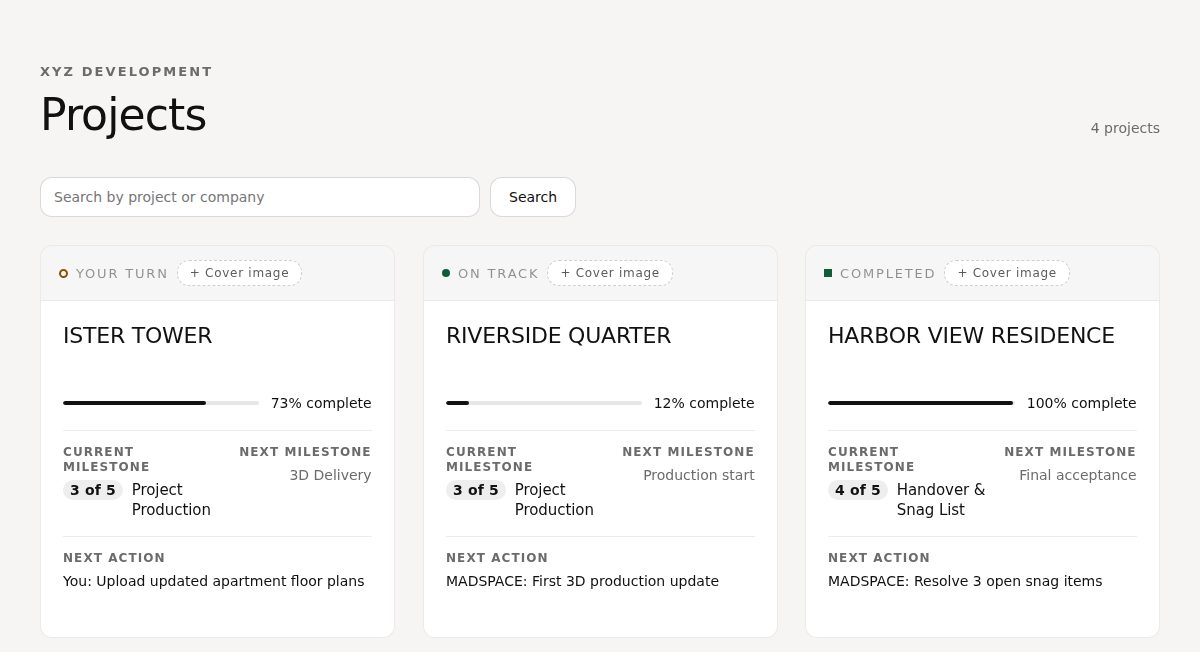
You see every project you have been added to, with its current milestone and the next action. When it says “You”, the next step is yours.
Five milestones
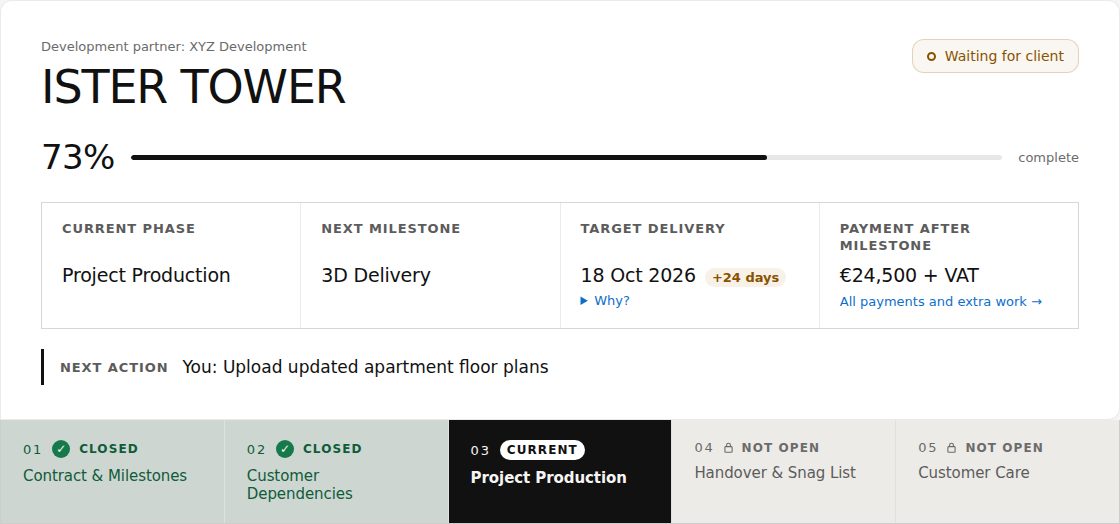
Every project moves through 01 Contract & Milestones, 02 Customer Dependencies, 03 Project Production, 04 Handover & Snag List and 05 Customer Care. The current one is highlighted; later ones open as the project reaches them. The target delivery date has a “Why?” that explains any change to it.
01 Contract & Milestones
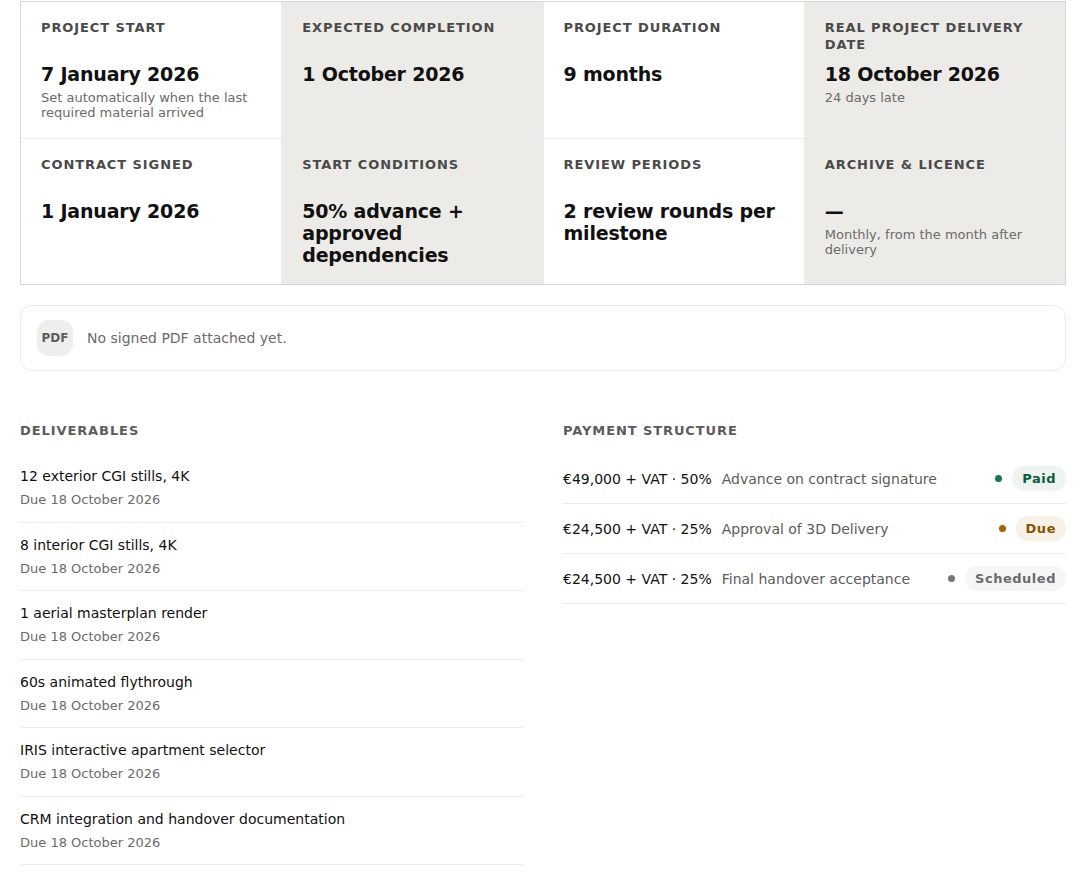
The signed contract in plain language, what MADSPACE delivers and by when, the payment structure, and any agreements made since signing. Amounts and the signed PDF are shown to contributors and approvers; approvers accept new agreements here.
02 Customer Dependencies
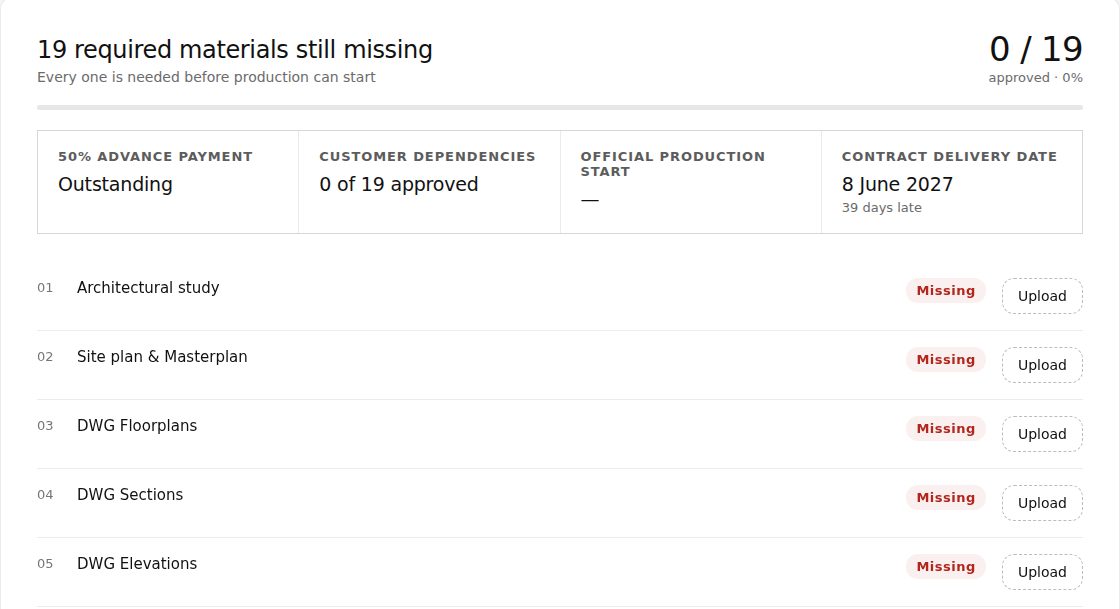
Upload each required material with its Upload button, or use Send link if it is already online. Until MADSPACE reviews it you can replace or delete it. MADSPACE approves every item or sends it back with a note. Items 01 to 09 are the must-haves: the day MADSPACE approves the last of them is the Official production start, so the sooner they arrive, the sooner your project moves. Every required item has its own deadline, shown on its row; a late one moves the delivery date, the other required items included.
03 Project Production
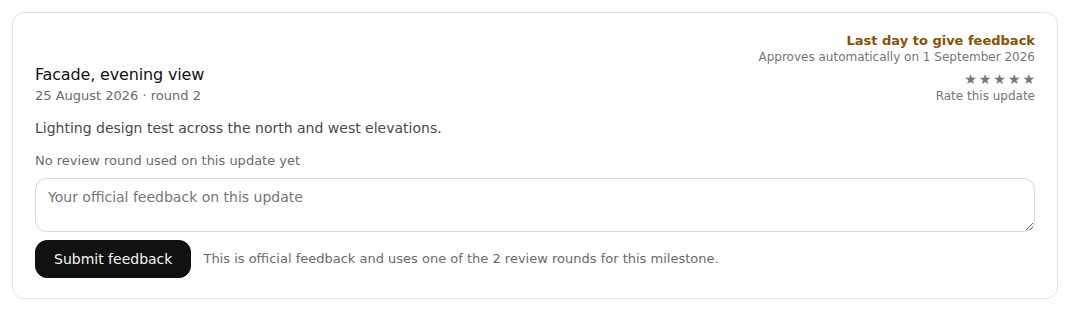
MADSPACE publishes updates for you to review. Give your official feedback before the last day shown on each update, and rate it if you like. Each milestone includes a set number of review rounds, and the page shows how many are left.
04 Handover & Snag List
Report anything that needs fixing on the snag list. Once every item is resolved, an approver confirms the handover and signs the protocol.
05 Customer Care
After handover, ask questions or request extra work. Extra work is quoted first and only starts once an approver accepts the quote.
Direct Line
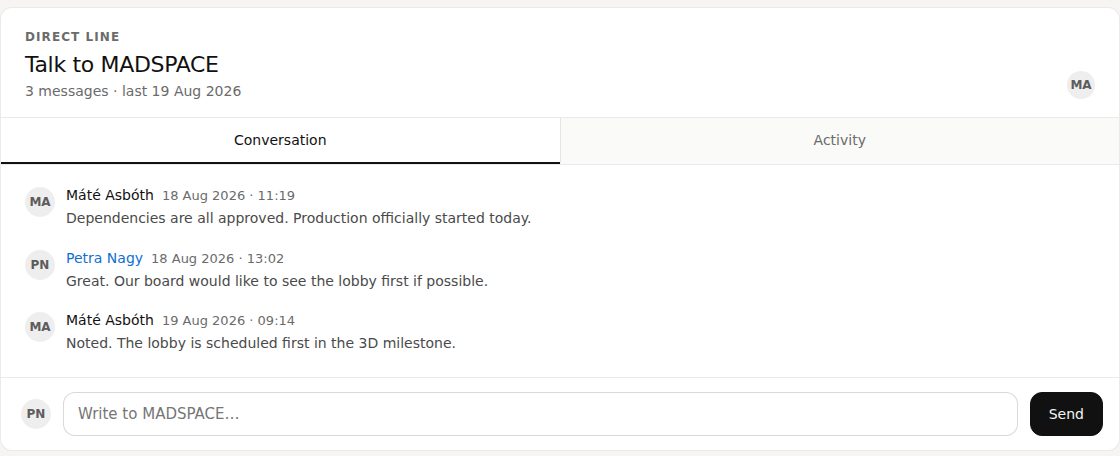
Write to MADSPACE at any time from the Direct Line at the bottom of every project page. The conversation stays with the project, next to the activity history.
Who can do what
MADSPACE gives each person a level on each project. It can differ from one project to the next.
- Viewer
- Follows the project: sees milestones, updates and the conversation, with amounts and the signed contract hidden. Uploads and sends the required materials, and can comment on production updates and mark up images; a viewer’s comment uses no review round.
- Contributor
- Everything a viewer can, plus seeing amounts and the signed contract, giving official feedback, reporting snags, requesting care and writing in the Direct Line.
- Approver
- Everything a contributor can, plus accepting agreements and quotes, and confirming and signing the handover.
Stuck anywhere? Write to your MADSPACE project lead in the Direct Line. If you cannot sign in at all, email the person who invited you.